Framer vs. Webflow 2026: Which Platform Wins Your Design Workflow?

Slava Burian
Comparison
10 min read

The digital landscape in 2026 has reached a tipping point. For years, designers were forced to choose between creative freedom and technical stability. You either painted on a digital canvas that couldn't scale, or you wrestled with CSS box models just to move a button five pixels to the left.
Today, the gap between Framer and Webflow has narrowed, yet their core philosophies remain worlds apart. One treats the web like a fluid artboard; the other treats it like a structured database. Choosing the wrong one isn't just a minor inconvenience—it’s a strategic mistake that can cost your agency hundreds of billable hours or tank your client's conversion rates.
Whether you are a freelancer building a high-end portfolio or a marketing lead scaling a SaaS landing page, the "best" platform depends on where you want to spend your energy: in the layers panel or in the navigator tree. Let’s break down the mechanics of design sovereignty versus technical complexity.
The Core Philosophy: Canvas-First vs. Box-Model
The fundamental difference between these two giants starts with how they perceive a blank page. Framer is built on a "Canvas-First" philosophy. If you’ve spent any time in Figma, Framer feels like a natural evolution. You drag, you drop, and you position elements with absolute freedom. It’s about visual expression first, code second.
Webflow, however, is a visual interface for the Box Model. It forces you to think like a front-end developer from the very first click. Every element lives inside a div, which lives inside a section, governed by margins, padding, and floats.
Framer’s stack and layout system has become incredibly sophisticated in 2026, allowing for responsive designs that feel organic rather than rigid. You aren't just building a website; you are "publishing" a prototype. This makes it the go-to for designers who want to maintain 100% design fidelity without a developer middleman.
In contrast, Webflow’s rigidity is its strength for large-scale sites. By forcing you to follow clean HTML/CSS logic, it ensures that your site is built on a foundation that any developer can understand. If Framer is an infinite sketchbook, Webflow is a precision-engineered blueprint.
Learning Curve: From Figma Enthusiast to Web Developer
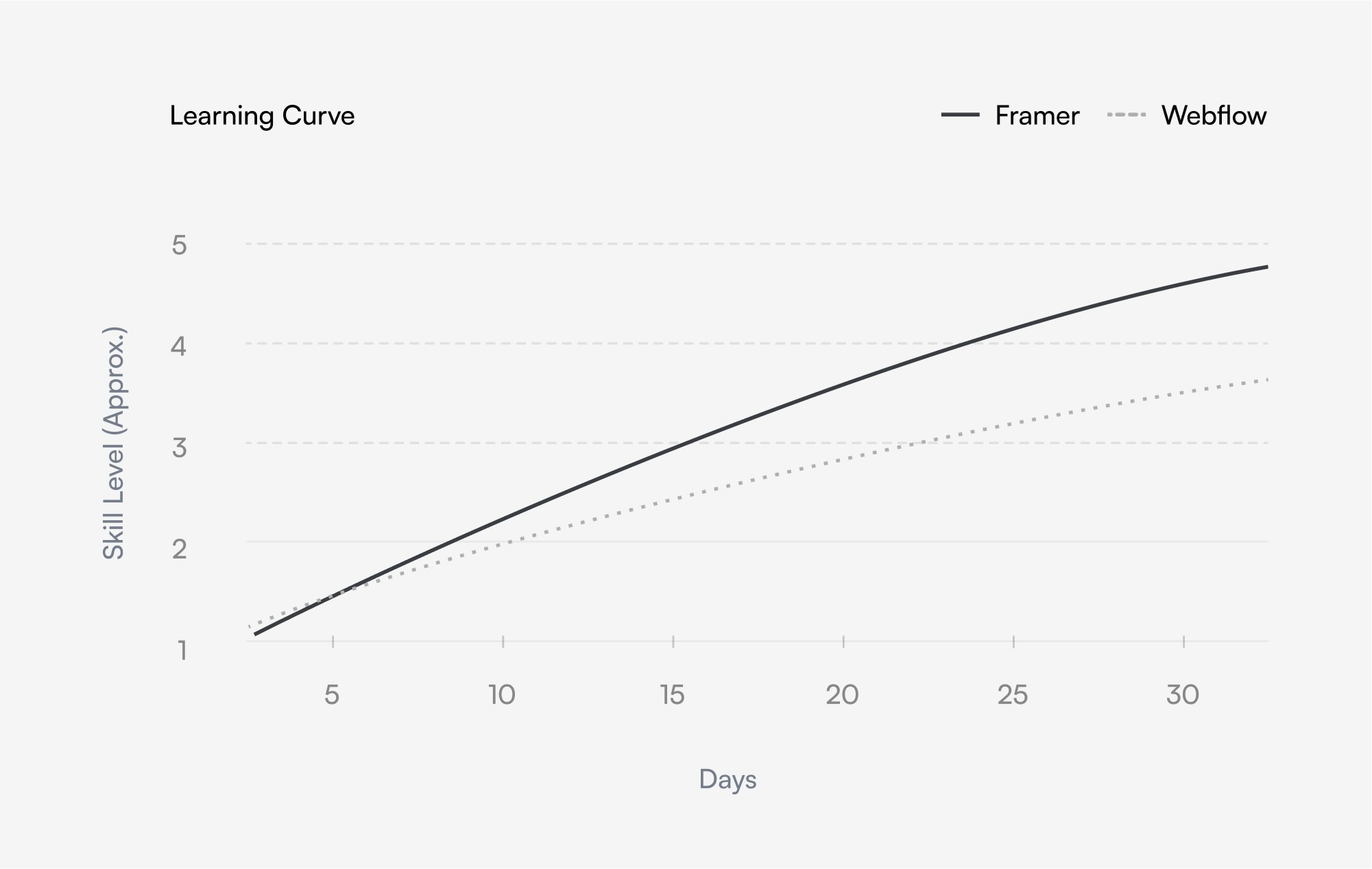
If you can use Figma, you can build a professional site in Framer in a weekend. The Framer-to-Figma plugin has reached near-perfection in 2026, allowing you to copy-paste entire frames and have them appear as functional web elements instantly. The learning curve isn't a curve; it's a gentle slope.
Webflow requires a different mental model. To master it, you effectively need to learn Web Design 101. You must understand:
The hierarchy of CSS classes.
The difference between "Relative" and "Absolute" positioning.
How Flexbox and Grid behave across five different breakpoints.
For a UI/UX designer, Framer offers immediate gratification. You see it, you tweak it, you launch it. This ease of use has fueled the growth of the Framer templates marketplace, where designers can now find professional foundations to skip the setup phase entirely.
" height="40px" id="rjbK8FTRN" width="40px"/><path d="M 26.641 12.014 C 26.645 12.288 26.611 12.562 26.539 12.826 C 26.467 13.091 26.358 13.344 26.215 13.578 C 26.073 13.812 25.898 14.025 25.696 14.211 C 25.494 14.396 25.267 14.552 25.021 14.674 C 25.027 14.747 25.031 14.821 25.034 14.894 C 25.04 15.041 25.04 15.188 25.034 15.334 C 25.031 15.408 25.027 15.481 25.021 15.554 C 25.021 20.034 19.801 23.674 13.361 23.674 C 6.921 23.674 1.701 20.034 1.701 15.554 C 1.696 15.481 1.691 15.408 1.689 15.334 C 1.683 15.188 1.683 15.041 1.689 14.894 C 1.691 14.821 1.696 14.747 1.701 14.674 C 0.923 14.317 0.34 13.635 0.109 12.81 C -0.123 11.985 0.02 11.1 0.499 10.389 C 0.977 9.679 1.744 9.214 2.595 9.119 C 3.447 9.024 4.297 9.307 4.921 9.894 C 5.494 9.506 6.093 9.16 6.716 8.859 C 7.338 8.558 7.982 8.302 8.641 8.094 C 9.301 7.886 9.975 7.726 10.657 7.616 C 11.34 7.505 12.03 7.445 12.721 7.434 L 14.201 0.494 C 14.218 0.414 14.25 0.338 14.297 0.27 C 14.343 0.202 14.402 0.144 14.471 0.1 C 14.54 0.055 14.617 0.025 14.698 0.01 C 14.778 -0.005 14.861 -0.003 14.941 0.014 L 19.841 0.994 C 20.336 0.145 21.374 -0.219 22.29 0.135 C 23.207 0.489 23.731 1.456 23.526 2.417 C 23.321 3.378 22.448 4.048 21.467 3.998 C 20.486 3.947 19.686 3.191 19.581 2.214 L 15.301 1.314 L 14.001 7.554 C 14.684 7.569 15.366 7.633 16.04 7.745 C 17.389 7.97 18.699 8.389 19.93 8.988 C 20.544 9.287 21.136 9.63 21.701 10.014 C 22.107 9.624 22.618 9.36 23.171 9.254 C 23.724 9.147 24.296 9.203 24.819 9.414 C 25.341 9.626 25.791 9.984 26.114 10.445 C 26.438 10.906 26.621 11.451 26.641 12.014 Z M 6.793 14.78 C 6.894 15.022 7.041 15.243 7.227 15.428 C 7.413 15.614 7.633 15.761 7.876 15.862 C 8.118 15.963 8.378 16.014 8.641 16.014 C 9.45 16.014 10.179 15.527 10.489 14.78 C 10.799 14.032 10.627 13.172 10.055 12.6 C 9.483 12.028 8.623 11.857 7.876 12.166 C 7.129 12.476 6.641 13.205 6.641 14.014 C 6.641 14.277 6.693 14.537 6.793 14.78 Z M 18.248 19.581 C 18.351 19.481 18.409 19.344 18.411 19.201 C 18.413 19.058 18.358 18.92 18.258 18.817 C 18.158 18.715 18.021 18.656 17.878 18.654 C 17.735 18.652 17.597 18.708 17.481 18.794 C 17.18 19.01 16.862 19.2 16.529 19.362 C 16.196 19.524 15.85 19.658 15.495 19.761 C 15.14 19.865 14.777 19.938 14.409 19.981 C 14.041 20.023 13.671 20.034 13.301 20.014 C 12.932 20.031 12.562 20.016 12.196 19.97 C 11.829 19.924 11.467 19.847 11.114 19.74 C 10.76 19.633 10.416 19.496 10.086 19.331 C 9.755 19.166 9.439 18.973 9.141 18.754 C 9.038 18.669 8.906 18.626 8.772 18.632 C 8.638 18.639 8.512 18.695 8.417 18.79 C 8.322 18.885 8.266 19.011 8.259 19.145 C 8.253 19.279 8.296 19.411 8.381 19.514 C 8.733 19.779 9.106 20.013 9.498 20.214 C 9.889 20.415 10.298 20.582 10.718 20.713 C 11.138 20.844 11.568 20.938 12.005 20.996 C 12.441 21.053 12.882 21.072 13.321 21.054 C 13.761 21.072 14.201 21.053 14.638 20.996 C 15.512 20.881 16.36 20.617 17.145 20.214 C 17.536 20.013 17.91 19.779 18.261 19.514 Z M 17.881 16.174 C 18.152 16.177 18.421 16.125 18.672 16.021 C 18.922 15.916 19.149 15.762 19.338 15.568 C 19.527 15.373 19.674 15.142 19.771 14.889 C 19.868 14.636 19.912 14.365 19.901 14.094 C 19.901 13.285 19.414 12.556 18.667 12.246 C 17.919 11.937 17.059 12.108 16.487 12.68 C 15.915 13.252 15.744 14.112 16.053 14.86 C 16.363 15.607 17.092 16.094 17.901 16.094 Z" fill="rgb(255, 255, 255)" height="23.67435542905508px" id="Y4ODwRWeH" transform="translate(6.699 7.982)" width="26.64141108210045px"/></g></svg>)
"I prefer framer - it's more visual, it doesn't require you to think like a developer. [...] Webflow forces you to pre-plan everything and know development concepts. It hampers shipping speed drastically."
Templates: The Marketplace Ecosystem
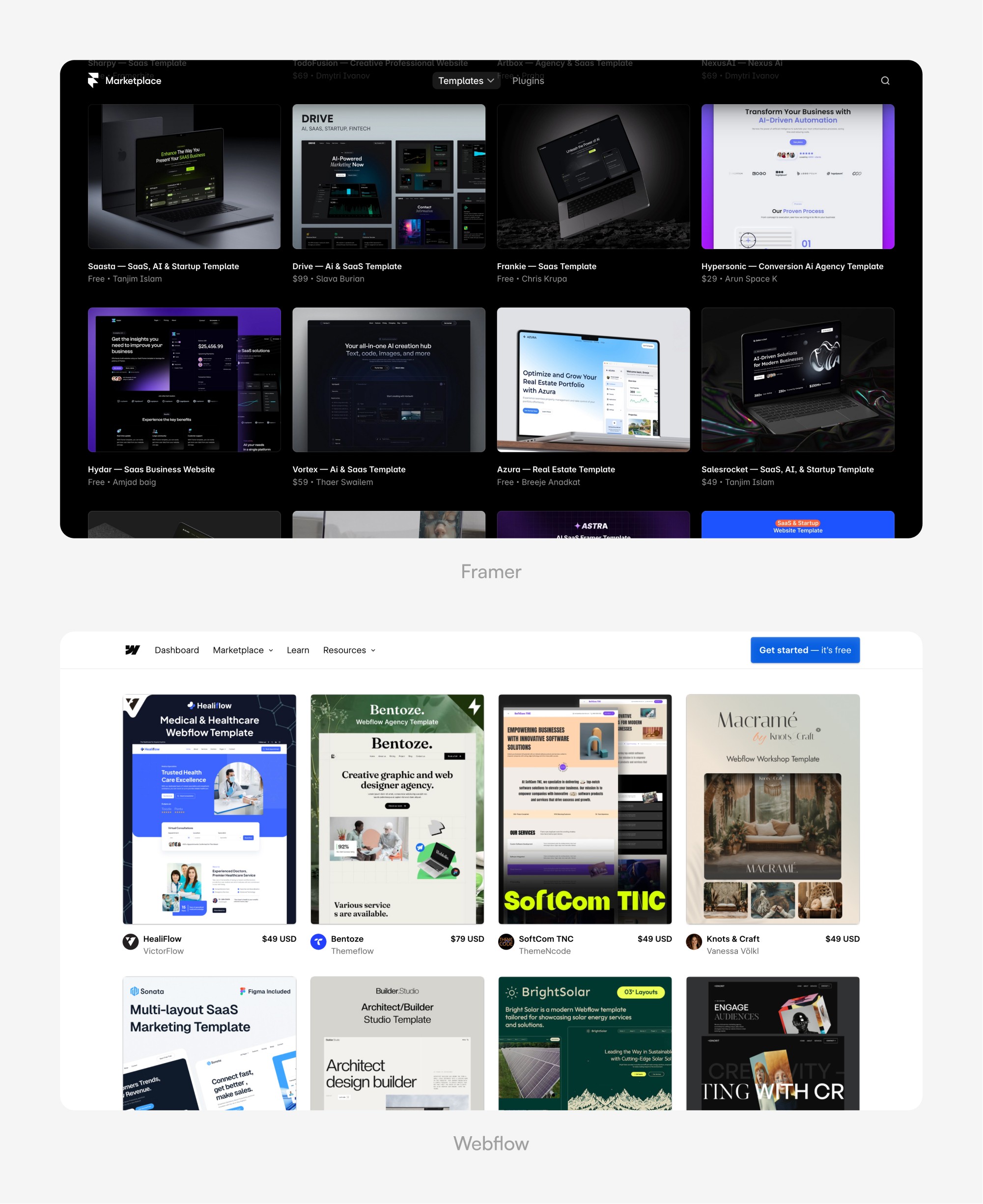
In 2026, the template economy has matured. You no longer buy a template just for the "look"—you buy it for the pre-built logic and SEO structure.
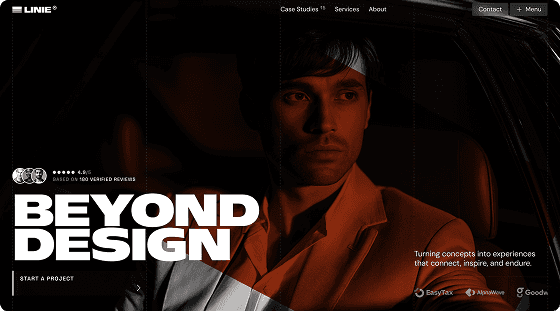
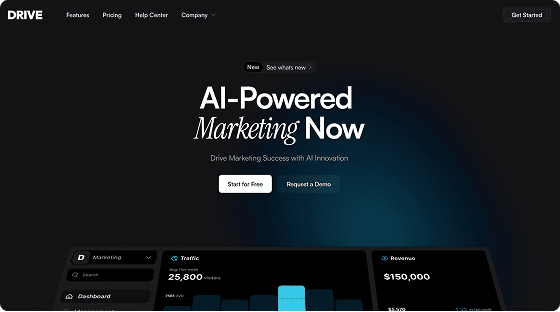
Framer Templates: These are built for speed and aesthetic impact. In my work with the Templita Framer marketplace, I see a dominant trend toward high-end, motion-heavy designs that look like they cost $10k to develop. For instance, Framer templates like Linie or Drive allow to maintain design quality while cutting their development time in half. You swap the text, change the images, and you have a world-class site in hours.
Webflow Templates: These are structural powerhouses. A high-quality Webflow template often comes with a pre-configured CMS, complex filtering systems, and a strict CSS class naming convention (like Finsweet’s Client-First). They are less about "art" and more about providing a scalable foundation for a growing business.
Responsive Design: Auto-Layout vs. The Breakpoint Method
How your site looks on a smartphone is no longer an afterthought; it’s the priority. However, the way these platforms handle "responsiveness" is fundamentally different.
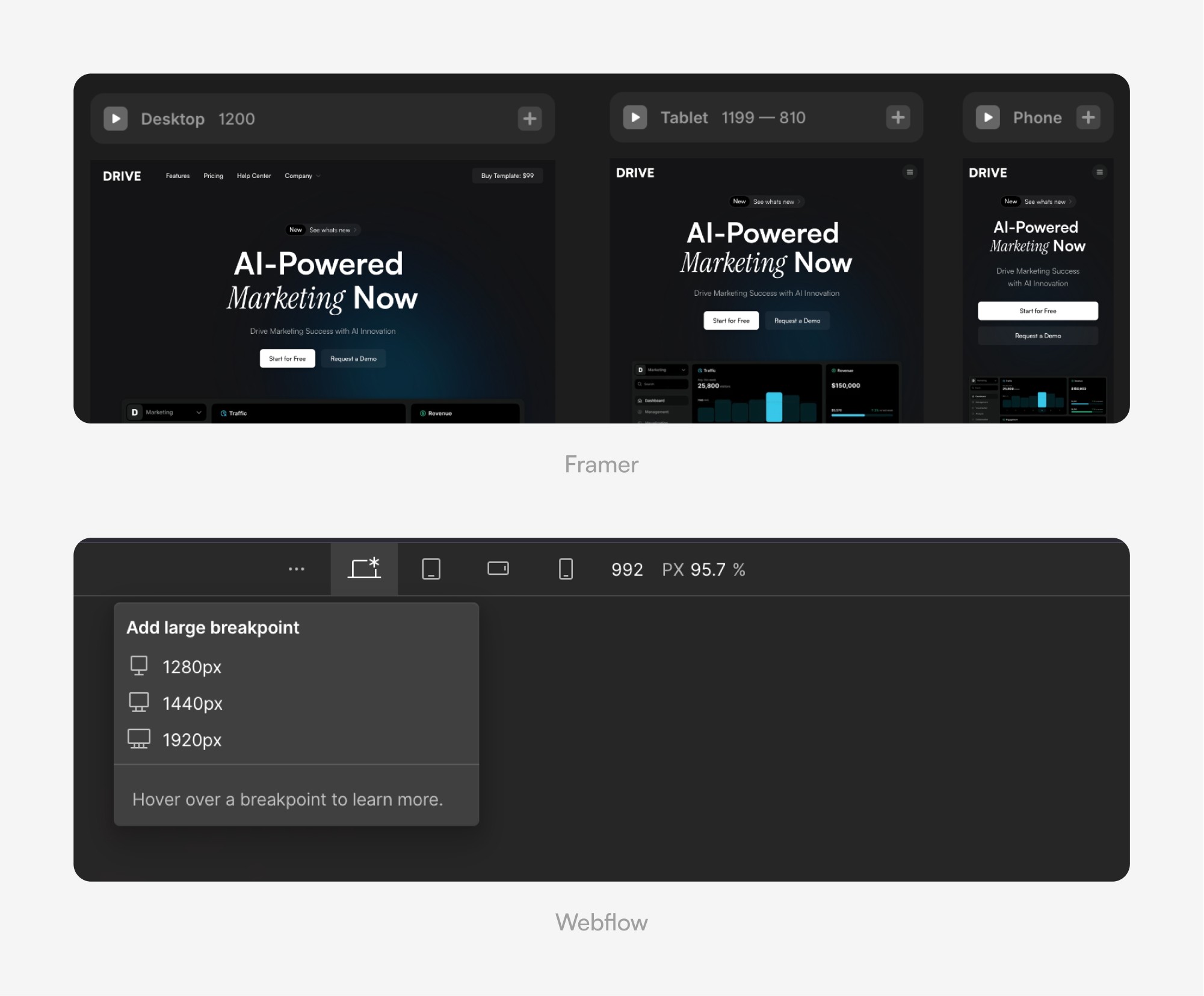
Framer uses a "Stack and Grid" system that feels identical to Figma’s Auto-layout. It is fluid. You can set elements to "Fill," "Hug," or "Fixed." As you shrink the browser, elements reposition themselves naturally. It feels like the web is made of rubber—stretching and snapping into place without you having to manually adjust every single pixel for every device.
Webflow relies on the "Breakpoint" system. You design for Desktop, then Tablet, then Mobile. While this gives you absolute control (you can completely hide elements or change layouts for specific screens), it requires more manual labor. If you make a change on Desktop, you must verify that it hasn't "broken" the layout on Mobile. In 2026, Webflow has improved its modern layout tools, but it still requires a "developer’s eye" to ensure consistency across all screens.
Animations: Cinematic Motion vs. Logic-Based Triggers
Animation is where Framer truly pulls ahead of almost every other tool on the market.
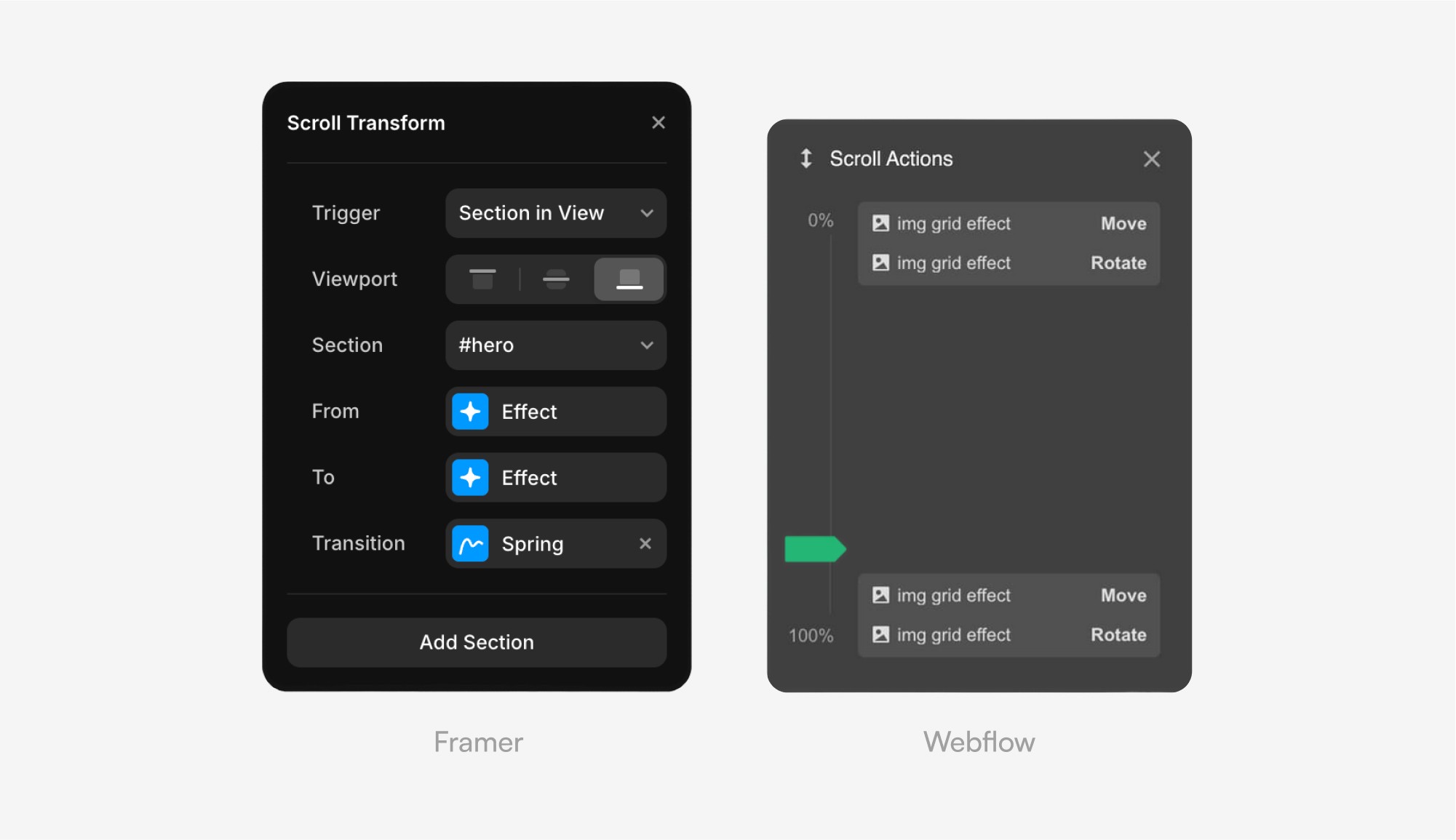
Framer’s Magic Motion: In Framer, animation is property-based. If an object is on the left in Screen A and on the right in Screen B, Framer automatically calculates the movement. It uses a "spring-physics" engine, making transitions feel organic, smooth, and high-end. You don't "program" animations; you simply design the states.
Webflow’s Interactions: Webflow uses a trigger-based system. You define exactly what happens when a user hovers, clicks, or scrolls. While this is incredibly powerful for complex, logic-based animations (like a progress bar that fills as you scroll), it has a steeper learning curve. To make something look as smooth as Framer, you often have to spend hours tweaking easing curves and delays.
The Verdict on Motion: If your brand relies on emotion and "wow-factor," Framer is the winner. If you need functional interactions (like complex menus or data-driven transitions), Webflow is the more robust choice.
"Animation is both [platforms'] strong suit, but Framer feels more intuitive and has more options and different ways in how something can be done."
The SEO Myth-Busting: Is Webflow Still the King?
For years, the narrative was simple: "Use Webflow if you care about SEO; use Framer if you just want it to look pretty." In 2026, that narrative is dead.
Framer has made massive leaps in technical SEO. It now features Server-Side Rendering (SSR) by default, meaning search engine crawlers see your content immediately, just like they would on a hand-coded site. The platform has introduced built-in SEO checklists that prevent you from publishing without H1 tags or alt text. For a complete setup walkthrough, see our Framer SEO guide.
Webflow’s SEO advantage now lies primarily in its fine-grained control over indexing and redirects. If you are managing a site with 5,000 blog posts, Webflow’s automated XML sitemap generation and granular "no-index" rules for specific CMS categories are still superior.
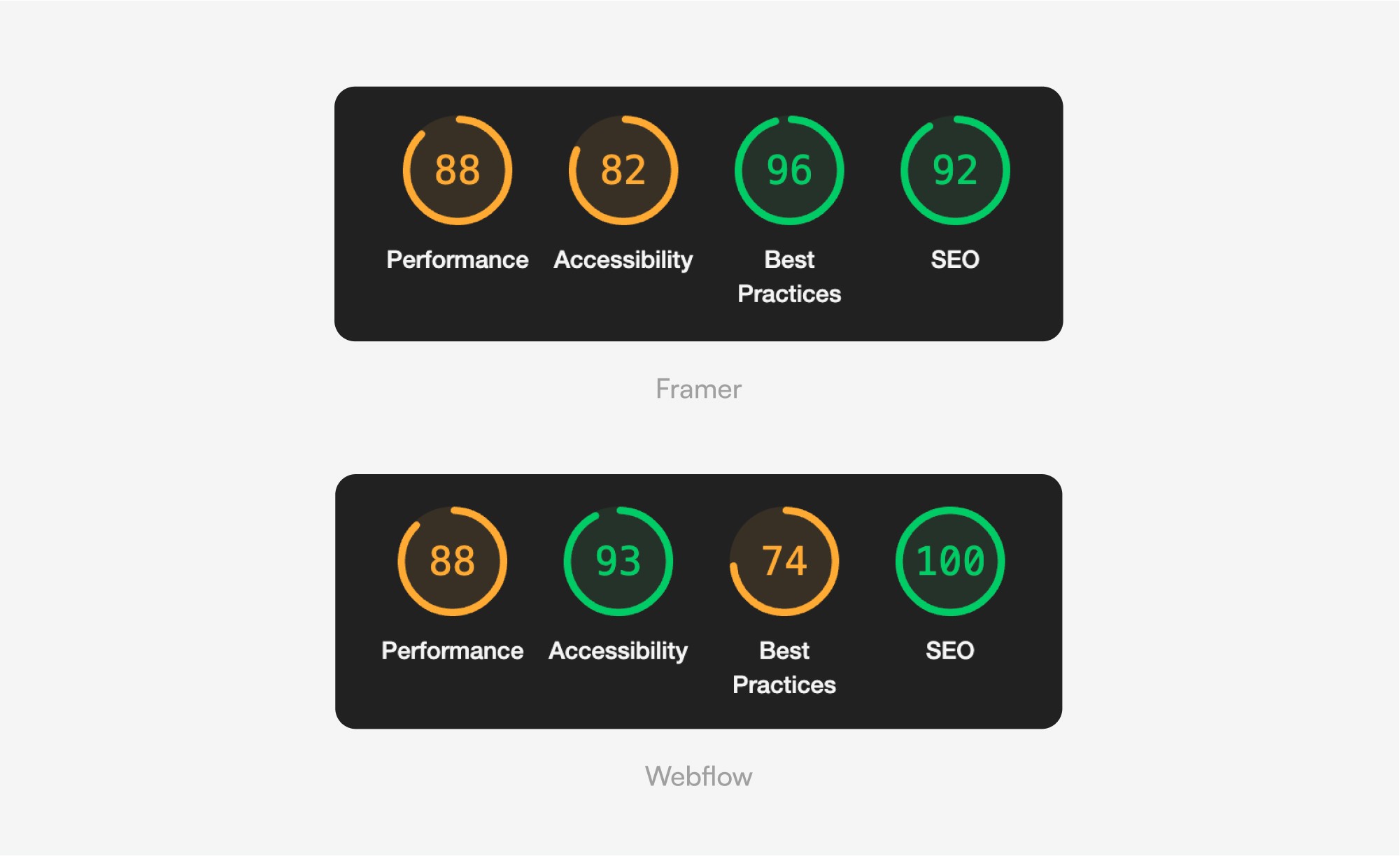
Framer is now "Fast by Default." You don't have to be an expert to get a 90+ Lighthouse score. Webflow allows you to reach a 100 score. For most small businesses, Framer's "out-of-the-box" performance is more than enough.
Performance: The Race for the 100 Score
In 2026, speed isn't just a "nice-to-have"—it's a ranking factor. If your site takes more than two seconds to load, you lose both Google rankings and customers.
Framer: The "Auto-Pilot" Speed Framer is built for people who don't want to worry about servers. Every site is automatically hosted on a global Edge Network. This means if your visitor is in London, the site loads from a London server.
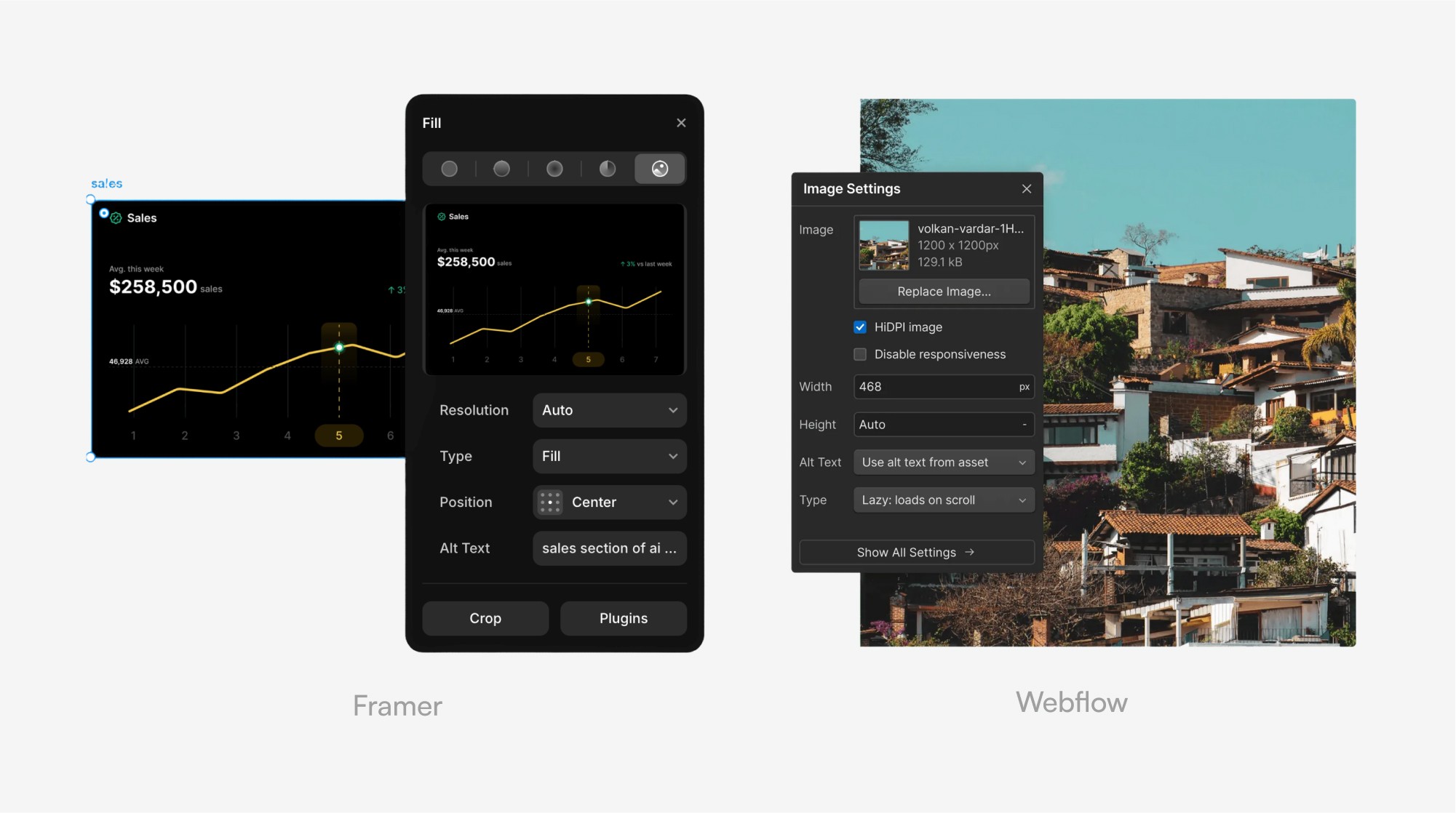
The Benefit: Framer automatically optimizes your images and code.
The Result: You get blazing-fast speeds (low LCP) out of the box without touching a single setting. It is practically "un-slowable" for the average user.
Webflow: The "Professional Tuning" Approach Webflow is like a high-performance engine that you have to tune yourself. It’s powered by AWS, the gold standard in hosting, but the final speed depends on you.
The Risk: If you create a "messy" project with hundreds of unused styles and heavy animations, your site will slow down (the "Bloat" effect).
The Benefit: If you know what you’re doing, Webflow gives you total control. You can fine-tune exactly how and when scripts load.
Platform | Speed Strategy | Effort Required |
|---|---|---|
Framer | Automatic optimization | Zero (Hands-off) |
Webflow | Manual control | High (Requires "cleaning") |
The Bottom Line: Choose Framer if you want a fast site without thinking about it. Choose Webflow if you want to control every millisecond of performance and have the skills to optimize it manually.
CMS and Scalability: Managing Complex Data at Scale
When your project grows beyond a simple landing page, the Content Management System (CMS) becomes the engine of your site. In 2026, the gap between "simple" and "complex" is where you’ll make your biggest platform decision.
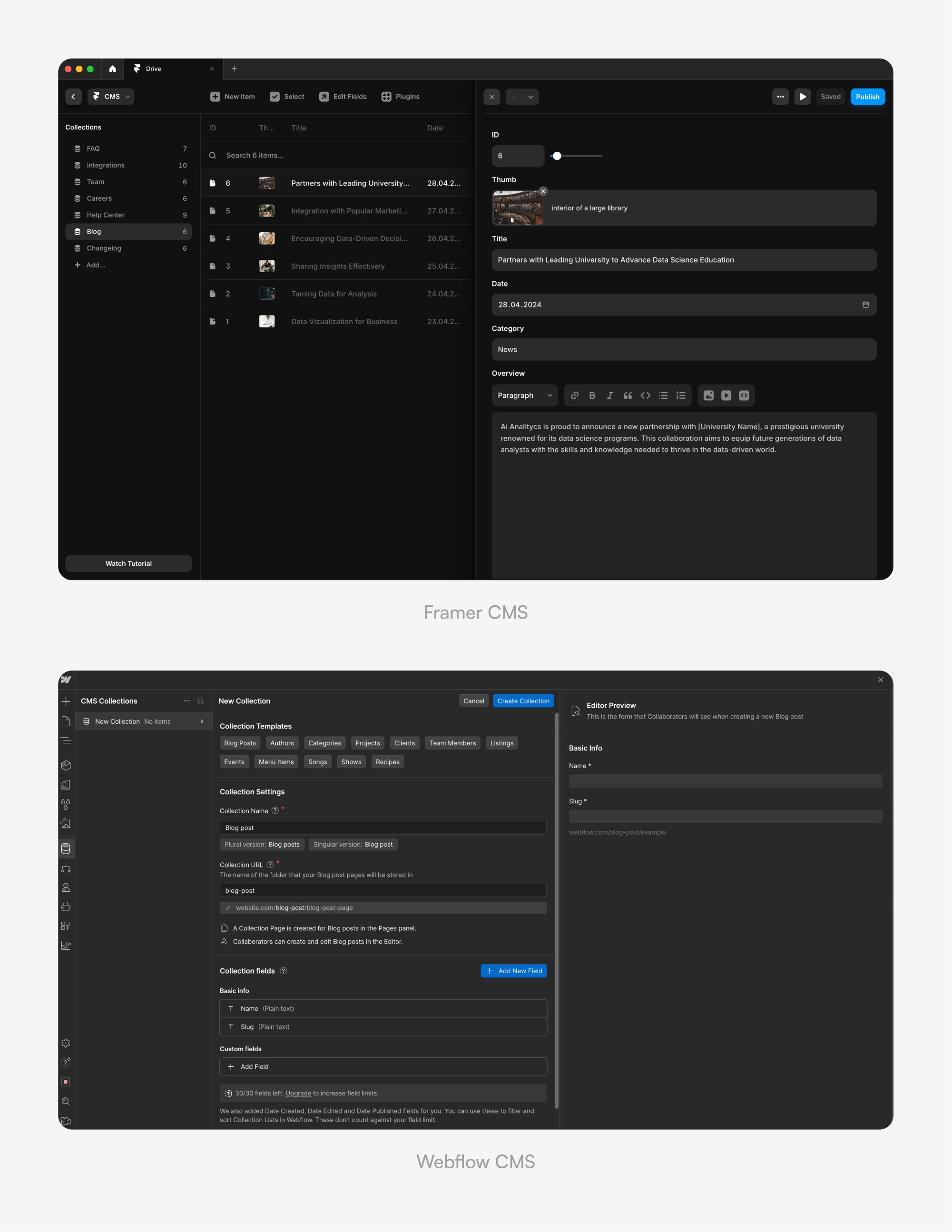
Webflow’s CMS is essentially a relational database with a visual skin. It allows for complex "Reference" and "Multi-reference" fields. For example, if you are building a real estate portal, you can link "Properties" to "Agents" and "Neighborhoods" with surgical precision. This makes it the undisputed heavyweight for data-heavy ecosystems and dynamic filtering.
Framer has taken a different route, focusing on visual ease of use. Its CMS feels more like a simplified Airtable. While it handles blogs, team pages, and simple portfolios beautifully.
Practical Example:
Choose Framer if you need to update a blog or a "Case Studies" section once a week with a focus on beautiful, unique layouts for each post.
Choose Webflow if you are building a directory with 1,000+ items that need complex filtering (e.g., price range + location + amenities).
Pricing and Ecosystem: Calculating Your ROI
In 2026, both platforms have moved to a clear “Site Plan” model with annual billing for the best rates. Framer remains more accessible for freelancers and small projects, while Webflow scales better for agencies and enterprises.
Framer is often cheaper for quick MVPs because its Basic plan already gives you a full site with CMS. Webflow’s pricing feels “enterprise-heavy” only if you need the full CMS or high traffic — otherwise Basic/CMS plans are very competitive.
Feature | Framer (Basic / Pro) | Webflow (Basic / CMS / Business) |
|---|---|---|
Monthly Cost (annual billing) | ~$10 / ~$30 | $14 / $23 / $39 |
Best For | Landing pages, portfolios, startups | Professional blogs, complex sites, enterprise |
Page Limit | 30 / 150 | 150 / 150 / 300 |
CMS Capacity | 1 collection + 1,000 items / 10 collections + 2,500 items | No CMS / 20 collections + 2,000 items / 40 collections + 20,000 items |
Bandwidth / Traffic | 10 GB / 100 GB | 10 GB / 50 GB / до 2.5 TB |
Localization | Paid add-on (~$20 per extra locale) | Paid add-ons (Essential $9/mo or Advanced $29/mo) |
Extra editors | +$20–40 per seat | Included in Workspace plans (Core/Growth) |
(Links for readers: Framer Pricing • Webflow Pricing)
The "Designer Tax": Framer saves you money through speed. If a project takes 10 hours in Framer versus 25 hours in Webflow, your profit margin as a designer skyrockets. You aren't just paying for a tool; you are buying back your time.
Real-World Use Cases: Which One to Choose for Your Next Project?
The "battle" isn't about which tool is objectively better—it’s about project fit. After testing hundreds of builds in 2026, the decision matrix has become clear.
Choose Framer when:
You are building a high-end landing page where animations and "wow-factor" are the priority.
You are a UI/UX designer who wants to go from Figma to live site in hours.
The site is for a startup or personal brand that needs to iterate fast and launch yesterday.
Choose Webflow when:
You are building a corporate scale site with hundreds of interconnected pages.
The client requires advanced logic, such as complex user dashboards or native e-commerce.
You need maximum control over the code export to hand over to an internal dev team.
Conclusion: The Future of No-Code Development
The "Framer vs. Webflow" debate in 2026 is no longer about which platform is more professional—it’s about your workflow identity. Framer has won the hearts of the "Design Sovereignty" movement, empowering individuals to create world-class experiences without touching a single line of CSS. Webflow remains the robust "Engineering Studio" for those who need to build complex, scalable digital products.
Practical advice: If your goal is to bridge the gap between Figma and the browser with zero friction, start with Framer. If you want to master the architecture of the web and build for the enterprise, invest in Webflow.
Frequently Asked Questions (FAQ)
Which is cheaper, Framer or Webflow?
Framer is generally more affordable for small projects. Its Basic plan starts at ~$10/mo (annual), making it the best choice for simple landing pages and portfolios. Webflow starts at $14/mo (Basic) and $23/mo (CMS plan). For most freelancers and startups Framer wins on price.
Is Framer’s CMS as good as Webflow’s?
It depends on your needs. Framer’s CMS is perfect for blogs, portfolios and simple case studies — it’s fast and visual. However, Webflow’s CMS is still the heavyweight: relational references, complex filters and up to 20,000 items. If you need a directory, real-estate site or deep data connections — Webflow wins.
Which platform is better for SEO?
It’s a tie in 2026. Framer is “fast by default” with SSR and automatic 90+ Lighthouse scores. Webflow gives you more manual control (granular no-index, XML sitemaps, redirects). For 95 % of projects both platforms deliver excellent SEO.
Will my site load fast on both?
Yes. Both provide elite performance. Framer uses a global Edge Network (20–300+ locations) and auto-optimizes everything — almost impossible to slow down. Webflow runs on AWS + CDN and can reach 100/100 Lighthouse, but you must keep the project clean (no bloat).
Should I buy a template?
Yes, if you want to launch fast. Framer templates shine with incredible animations and “wow-factor”. Webflow templates are built like professional blueprints — clean class structure, ready CMS and easy to scale. Both marketplaces are excellent in 2026.
More Articles
Explore More Articles
Discover other Guides & Tips for Framer Websites