Framer Pricing: Which Plan Is Right for You? (2026)

Slava Burian
Comparison
11 min read

Framer's pricing looks simple at first glance: three tiers, clean numbers, done. Then you start clicking around and realize there are editor seats, add-ons, bandwidth overages, and an Enterprise tier that doesn't show a price at all.
For a solo designer, this is manageable. For a startup team — where a founder, a marketer, and a contractor might all need access — the real monthly cost can be two or three times the plan price you first saw.
This guide cuts through that. We'll explain exactly how Framer's pricing is structured, what each plan actually costs for a team, and — most importantly — which plan makes sense depending on where your startup is right now. No feature matrix copy-paste. Just a clear framework you can use to make the decision today.
How Framer Pricing Works (Before You Compare Plans)
Before comparing Basic vs. Pro vs. Scale, you need to understand one thing: Framer pricing has three separate layers, and most confusion comes from only looking at one of them.
The site plan (Basic, Pro, Scale) is just the base. On top of that, you pay for editors — anyone who can make changes to the site. Then there are optional add-ons for features like A/B testing and multiple languages. Each layer is billed separately, which means your real monthly bill depends on all three.
Site plans vs. editor seats — what's the difference?
A site plan covers hosting, the domain, bandwidth, CMS limits, and which features are unlocked (staging, redirects, analytics, etc.). You pay one site plan per published website.
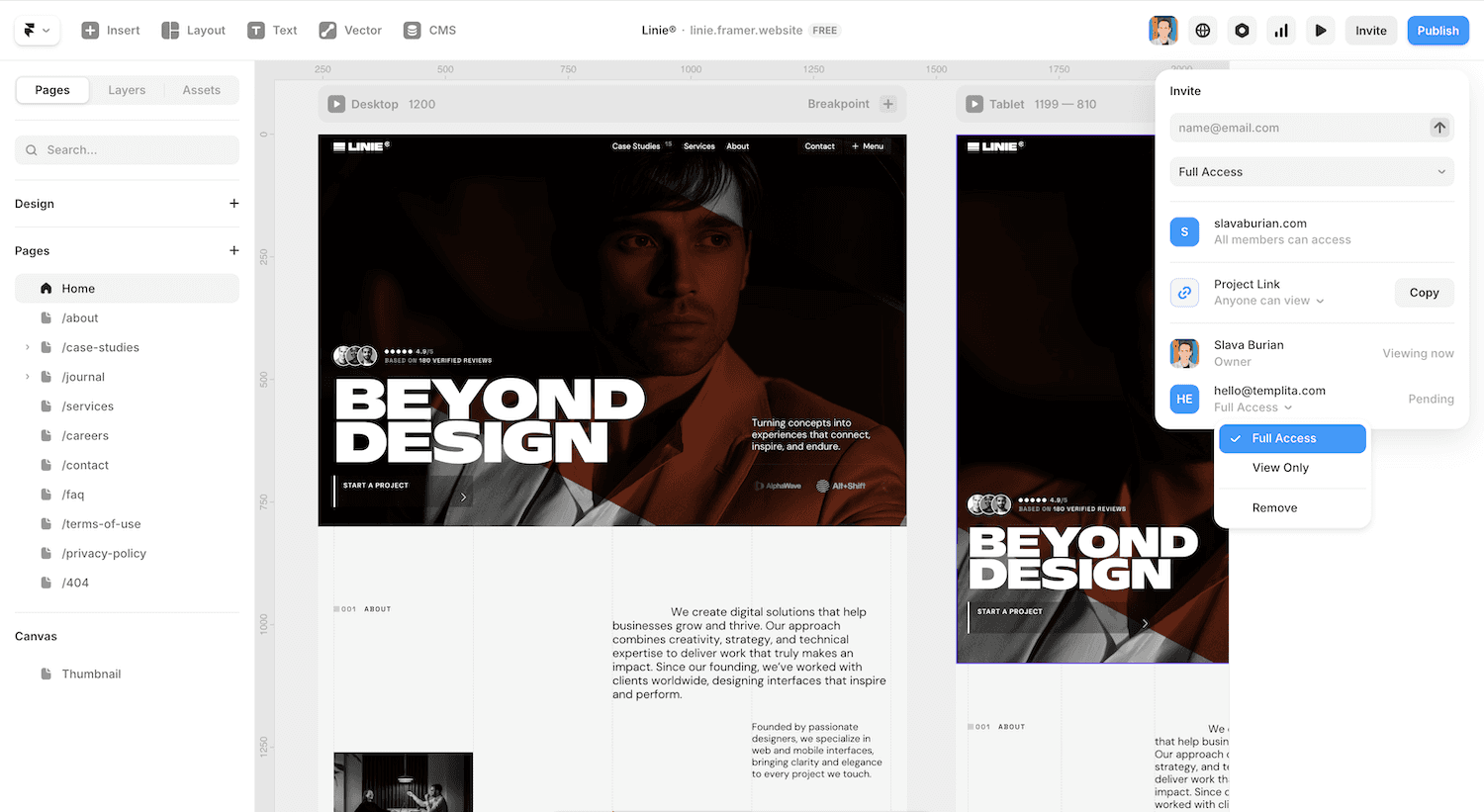
Editor seats are charged on top of that. Editors are anyone who can open and edit the project — a marketer updating copy, a designer tweaking a section, a contractor building a new page. On Basic, each additional editor costs $20/month. On Pro and Scale, it's $40/month per editor. One important detail: editor costs are billed at the workspace level, not per site. If your workspace contains even one Pro or Scale site, all editors in that workspace are charged at $40/month — regardless of what plan your other sites are on. This matters if you manage multiple sites in one workspace.
Viewers are free on all plans. A viewer can leave comments and preview the site but can't make edits. This matters: stakeholders, clients, and executives reviewing the site don't add to your bill.
Add-ons: what they cost and when you need them
Two features are sold as paid add-ons on the Pro plan: A/B testing (Convert add-on, ~$50/month) and multiple locales. Locale limits vary by plan: Basic supports up to 2 locales at $20 each, Pro up to 10 locales (add-on), and Scale up to 20 locales included by default.
On the Scale plan, most add-ons are included by default. The one exception is a custom proxy setup, which remains an add-on even at Scale.
The practical takeaway: if A/B testing or localization is on your roadmap in the next six months, factor that into your plan choice now. Enabling them on Pro adds cost; Scale bundles most of it.
Breaking Down Each Framer Plan
Here's what each plan actually offers — explained for a startup team rather than a solo designer.
Free — good for prototyping, not production
The free tier lets you build and share projects in Framer's editor. You get a framer.app subdomain, basic hosting, and access to the design tools. There's no custom domain and no CMS on the free plan.
Use it for: Internal prototypes, design handoffs, testing Framer before committing. Don't use it for a live marketing site — the subdomain looks unprofessional and the bandwidth limits are tight. If you want to move fast, starting with a pre-built layout from Templita's Framer marketplace gets you to a publishable Basic or Pro site in a day rather than a week.
Pro Tip: Framer's free plan actually includes up to 10 CMS collections — the same as Pro. But if you upgrade to Basic, that limit drops to just 1. If you've built a site on Free with multiple CMS collections, skip Basic entirely and go straight to Pro to avoid losing your content structure.
Basic ($10/month) — when it makes sense
Basic gives you a custom domain, AI-powered design tools, fast hosting across 20 CDN locations, and built-in SEO settings. You get 30 pages, 1 CMS collection, 1,000 CMS items, and 10 GB of monthly bandwidth.
The catch for teams: Basic is capped at 2 editors total (owner + 1 additional at $20/month). If your team has three or more people who need edit access, Basic isn't an option — you'll need Pro regardless of budget. And at 2 people, Basic + 1 editor = $30/month, the same as Pro's base price without Pro's features.
Use it for: Solo founders running a personal brand site, or a one-person team with a simple landing page that won't change much.
Pro ($30/month) — the default for most startups
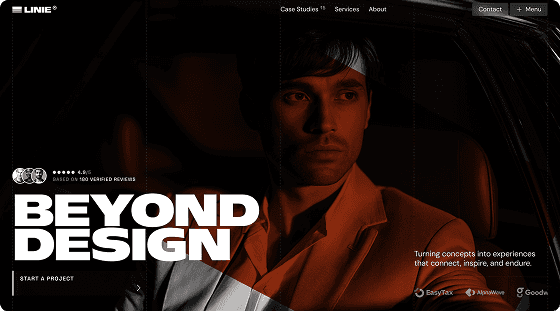
Pro is where Framer becomes genuinely useful for teams — and if you're starting fresh, a template like Linie is built specifically for the Pro feature set, with staging-ready structure and a relational CMS already configured. You get everything in Basic plus a staging environment, instant rollback, roles and permissions, site redirects, a relational CMS, and 150 pages, 10 CMS collections, and 2,500 CMS items.
Staging alone is worth the upgrade for most product teams. It lets you preview and test changes before pushing them live — which matters when your website is tied to active ad campaigns or SEO traffic.
Additional editors on Pro cost $40/month each. A three-person team (founder + designer + marketer) on Pro works out to $110/month billed annually.
Use it for: Any startup with more than one person touching the website, or any site running live marketing where pushing bad changes is a real risk.
Feature | Basic ($10/mo) | Pro ($30/mo) |
|---|---|---|
Custom domain | ✓ | ✓ |
Pages | 30 | 150 |
CMS collections | 1 | 10 |
CMS items | 1,000 | 2,500 |
Bandwidth | 10 GB | 100 GB |
Staging environment | × | ✓ |
Instant rollback | × | ✓ |
Roles & permissions | × | ✓ |
Site redirects | × | ✓ |
A/B testing (Convert add-on, ~$50/mo) | × | Add-on |
Multiple locales | × | Add-on |
Additional editors | $20/mo (max 2 total) | $40/mo (max 10) |
Bandwidth limits are based on Framer's current pricing page as of 2026. Framer has updated these figures in the past — always verify current limits at framer.com/pricing before making a plan decision.
Scale ($100/month) — high-growth teams only
Scale is billed annually only — no monthly option. The base is $100/month, but the plan uses flexible, usage-based limits rather than fixed caps. You get 300 pages to start (expandable to 500+ via add-ons), 20 CMS collections, 10,000 CMS items, and 200 GB bandwidth — expandable up to 2 TB via usage-based overages.
Scale includes events and funnels (Framer's built-in analytics), priority support, custom locale regions, and flexible overage options. Note: A/B testing is not included in Scale's base plan — it's available as a separate Convert add-on (~$50/month per 500k events) on both Pro and Scale.
The editor seat cost stays at $40/month, same as Pro. So Scale makes sense when you've outgrown Pro's feature set — not just its limits.
Use it for: Startups running localized campaigns, high-traffic sites where CDN performance matters, or teams that need built-in funnel analytics without adding a third-party tool.
Enterprise — skip unless you have compliance needs
Enterprise pricing is custom and requires contacting Framer's sales team. It adds SSO, dedicated support, custom security controls, and custom limits beyond Scale's maximums.
Use it for: Series B+ companies with IT security requirements, compliance mandates (SOC 2, GDPR at scale), or teams that need SLA guarantees. Most startups won't need this until much later.
Free | Basic ($10/mo) | Pro ($30/mo) | Scale ($100/mo) | |
|---|---|---|---|---|
Custom domain | × | ✓ | ✓ | ✓ |
Pages | — | 30 | 150 | 300–500+ |
CMS collections | — | 1 | 10 | 20+ |
CMS items | — | 1,000 | 2,500 | 10,000+ |
Bandwidth | — | 10 GB | 100 GB | 200 GB–2 TB |
CDN locations | — | 20 | 20 | 300+ |
Staging & rollback | × | × | ✓ | ✓ |
Roles & permissions | × | × | ✓ | ✓ |
Site redirects | × | × | ✓ | ✓ |
A/B testing (Convert add-on) | × | × | Add-on | Add-on |
Multiple locales | × | × | Add-on (up to 10) | Included (up to 20) |
Events & funnels | × | × | × | ✓ |
Priority support | × | × | × | ✓ |
Premium CDN | × | × | × | ✓ |
Additional editors | — | $20/mo (max 2 total) | $40/mo (max 10) | $40/mo (max 10) |
Annual only | × | × | × | ✓ |
What Framer Actually Costs for a Startup Team
The plan price is just the starting point. Here's what teams actually pay once you add editors.
Sample cost scenarios by team size
Team setup | Plan | Editor seats | Monthly total (annual billing) |
|---|---|---|---|
Solo founder | Basic | 0 extra | $10/mo |
Founder + designer | Pro | 1 extra ($40) | $70/mo |
Founder + designer + marketer | Pro | 2 extra ($80) | $110/mo |
5-person marketing team | Scale | 4 extra ($160) | $260/mo |
Editor limits: Basic supports up to 2 editors total (owner + 1). Pro and Scale support up to 10 editors within standard structure; beyond 10 requires Enterprise.
The jump from Basic to Pro is smaller than it looks once you add even one editor — Basic at $10 + one editor at $20 = $30, which is exactly the Pro base price before adding that same editor at $40. Pro is almost always the better deal for two or more people.
At Scale, the $100 base feels steep until you consider what you're replacing: premium CDN, built-in analytics and funnels, and priority support. For a startup spending on Datadog, Mixpanel, and a CDN separately, Scale can consolidate real costs.
Annual vs. monthly billing — how much you save
All Framer plans are shown at annual prices by default. Basic costs $10/month on annual billing, Pro is $30/month, and Scale is $100/month — and Scale is available on annual billing only.
Monthly billing (where available) costs significantly more: Basic is $15/month on monthly vs. $10 on annual, and Pro is $45/month vs. $30 — that's 50% more on both plans. If you're committing to Framer as your primary marketing site, annual billing is the clear call.
Which Framer Plan Should You Start On?
Most pricing guides stop at "here are the features." This section does something different: it maps your startup's current stage to the plan that actually fits — so you're not paying for things you don't need yet, and not under-buying in ways that slow your team down.
Early-stage (pre-launch / MVP) → Basic or Pro
If your site is a single landing page, a waitlist, or an early marketing page that one person updates occasionally, Basic is enough. You get a custom domain, fast hosting, SEO basics, and AI design tools for $10/month. That's a reasonable cost for a pre-revenue company.
The moment a second person needs to edit the site, the math shifts. Basic charges $20/month per extra editor — so two people on Basic costs $30/month, the same as Pro's base price. And Basic gives you no staging, no roles, and no redirects. At the two-person mark, start on Pro.
One practical note: if you're launching with a blog or resource section powered by Framer's CMS, Basic only gives you 1 CMS collection and 1,000 items. A small blog will hit that ceiling faster than you think. Pro's 10 collections and 2,500 items give you room to grow without forcing an upgrade mid-momentum.
Growing startup (post-launch, active marketing team) → Pro
Pro is the right default for most startups. The combination of staging, rollback, roles and permissions, and site redirects covers the four things that cause real problems when a team is actively iterating on a live site.
Staging matters most. When your marketing site is tied to paid campaigns, changing a headline or redesigning a section without previewing it first is a genuine risk. Staging lets your designer build and QA changes before anyone else sees them. Rollback means a bad deploy doesn't become an all-hands incident.
Roles and permissions let you give a contractor or new hire editor access without handing them full control. Site redirects keep your SEO intact when you restructure URLs — something most growing startups do at least once.
A typical post-launch startup team on Pro — $110/month for a fully managed, high-performance marketing site with staging and a relational CMS is competitive — especially when you're building on a solid foundation from my Framer templates marketplace rather than from scratch.
Role | Seat type | Cost |
|---|---|---|
Founder | Included in plan | $0 extra |
Designer | Editor | $40/mo |
Marketing manager | Editor | $40/mo |
Investors / advisors | Viewer | Free |
Total | $110/mo |
Scale-up (high traffic, localization, A/B testing) → Scale
Scale makes sense when at least one of these is true:
Your site gets enough traffic that CDN performance visibly affects conversion rates
You're running campaigns in multiple languages or regions
You want built-in funnel analytics without adding another tool
You're hitting Pro's page or CMS limits and paying overages
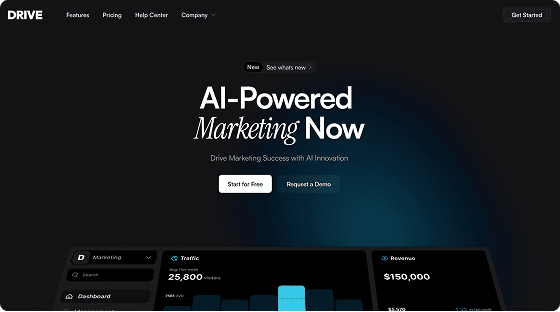
The Scale plan is not a prestige upgrade. Don't move to it because the company is growing — move to it because you have a specific problem that Scale solves. The $100/month base plus $40/month per editor adds up fast for a five-person team. If you're migrating to Scale from another tool, a multi-page template like Linie or Drive gives your team a clean starting structure that takes full advantage of Scale's CMS collections and locale support.
When to Upgrade Your Framer Plan
Upgrading because a plan "feels too small" is expensive. Upgrade when you hit a concrete wall. Here are the specific signals to watch for.
Current plan | Upgrade when... |
|---|---|
Free → Basic | You need a custom domain on a live site, or you're sending anyone outside the company to the URL |
Basic → Pro | A second person needs editor access (Basic caps at 2 editors total) / you need staging before pushing changes / you need site redirects / CMS needs exceed 1 collection or 1,000 items |
Pro → Scale | Running multilingual campaigns / need funnel analytics / bandwidth regularly exceeds 100 GB ($40 per additional 100 GB overage) / CMS collections exceed 10 ($40 per 10 additional collections) / page load speed in non-US regions affects conversions / site is tied to revenue-critical campaigns |
One thing to avoid: upgrading to Scale for the page limit alone. Pro allows up to 150 pages, which is more than most startup marketing sites will ever use. If pages are your only constraint, talk to Framer support before jumping tiers — page overages on Pro are available at $20 per 100 additional pages, which may be cheaper than Scale's base.
Conclusion
Framer's pricing is reasonable for what it delivers — but only if you're buying the right plan for your actual situation, not the one that sounds safest.
Here's the short version of the framework from this guide:
Free: prototypes and internal use only
Basic: one person, simple site, low update frequency
Pro: the default for any startup team — start here if two or more people touch the site
Scale: high-traffic, multilingual, or analytics-heavy sites that have outgrown Pro's feature set
Enterprise: compliance-driven organizations that need SSO and SLA guarantees
The single most common mistake is starting on Basic with a team and adding editors without realizing you've already matched the Pro price — without getting Pro's features. If you're a team, start on Pro.
The second most common mistake is upgrading to Scale too early. Scale rewards startups that are actively running localized campaigns, need premium CDN performance, or want funnel analytics built in. If none of those apply yet, stay on Pro and revisit when a specific limit becomes a real bottleneck.
Framer pricing rewards teams that right-size their plan at each stage. Start lean, upgrade with intention, and let actual constraints — not feature envy — drive the decision.
Frequently Asked Questions
How much does Framer cost per month for a team?
It depends on your plan and how many editors you need. The site plan itself starts at $10/month (Basic) or $30/month (Pro), but editor seats are charged separately — $20/month each on Basic, $40/month each on Pro and Scale. A three-person team on Pro typically pays around $110/month billed annually.
What is the difference between Framer Pro and Scale?
Both plans include staging, rollback, roles and permissions, a relational CMS, and site redirects. Scale adds a premium CDN with 300+ locations (vs. 20 on Pro), built-in events and funnel analytics, custom locale regions, priority support, and flexible usage-based limits instead of fixed caps. Scale is also annual-only — there's no monthly billing option.
Is Framer free to use?
Yes, Framer has a free tier that gives you full access to the design editor, hosting, and a framer.app subdomain. The free plan doesn't include a custom domain or CMS. It's useful for prototyping and internal projects, but not for a live production site.
Does Framer charge per editor or per site?
Both. You pay one site plan per published website (Basic, Pro, or Scale). Then you pay separately for each additional editor in your workspace — billed based on the highest-tier site plan in that workspace. Viewers — people who can comment and preview but not edit — are free on all plans.
Is Framer cheaper than Webflow?
For small teams, Framer is generally more affordable at the entry level — Basic at $10/month vs. Webflow's comparable tiers. For larger teams with multiple editors, costs can converge, since both platforms charge for editor or collaborator seats. The comparison shifts depending on how many people need edit access and which CMS features you use. Framer's Scale plan at $100/month includes built-in analytics that Webflow doesn't offer natively, which can offset additional tool costs.
More Articles
Explore More Articles
Discover other Guides & Tips for Framer Websites